
Login — Hopa casino UK
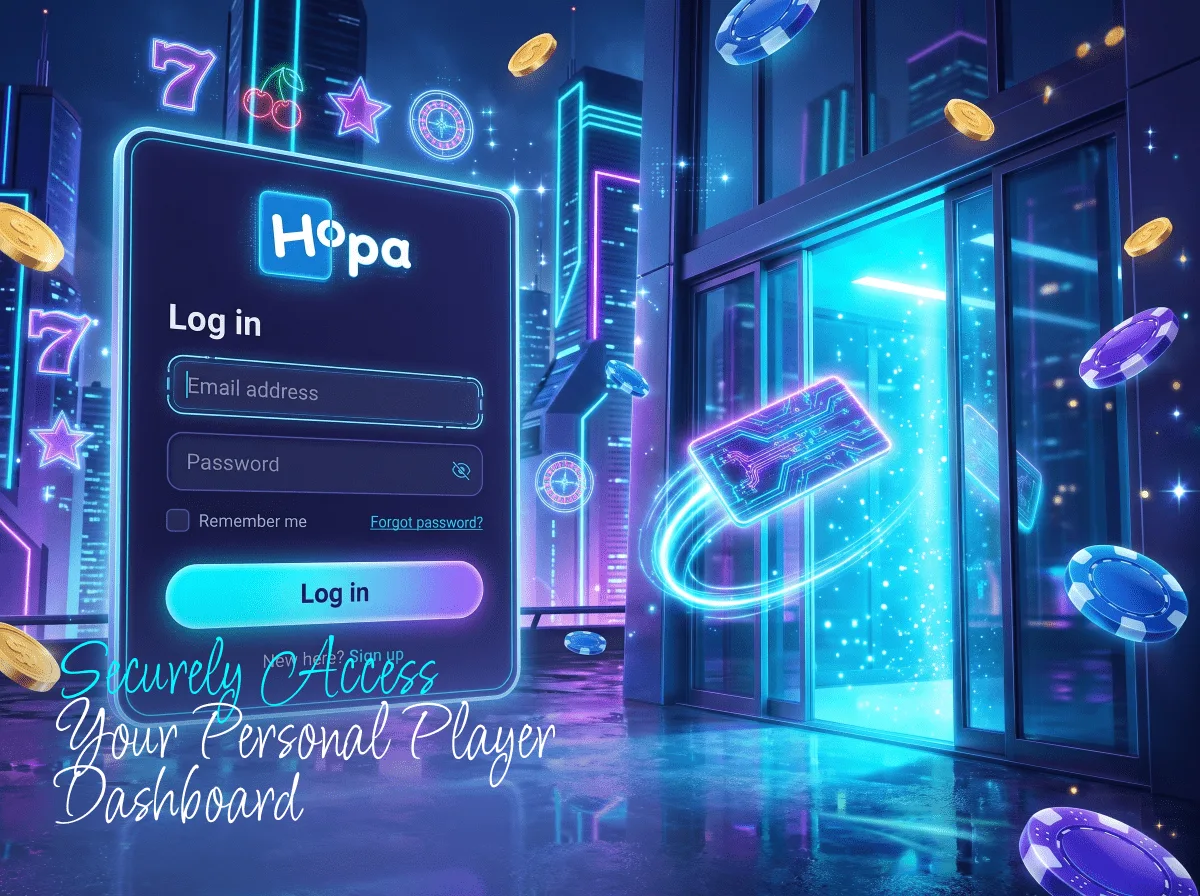
Glad to see you back at Hopa Casino, where players from the UK come to enjoy their games. The sign-in section is just a click away from the homepage, and getting into the hopa casino is quick, taking only a few seconds. Every bit from the visit remains intact, ensuring the dashboard opens just like it was left. Games, payment methods, and bonuses are all right here, available for you to use right away without any extra hassle. The system ensures every entry is safe, so you won't have to type in lengthy bits of info again. You can get back to where you were in no time, without losing anything from the earlier session. Returning members can have confidence in the process that safeguards their profile throughout each step. Sign in now and jump back in right where you left off.
In this article
- Key Points About Accessing Your Account
- How We Help You Sign In
- Steps for Returning Players to Log In on Desktop
- Mobile Sign-In Options
- Linking Login to New Sign-Ups
- Getting Back Forgotten Login Details
- Troubleshooting Common Sign In Problems
- Using The Remember Me Option
- Cookies Required for Steady Login
- Keeping Your Session Active After Login
- Managing Your Personal Information After Signing In
- Payment Actions From Your Account Page
- Bonuses You Can Explore After Login
- Rules About Multiple Accounts And Access
- Steps to Logout and Best Practices
- Quick Login Tips For Returning Players
- Login Tips for Players in the United Kingdom
- Email Notifications Related To Login Activity
- Saving Login Shortcuts In Your Browser
- Brief Overview of Your Login Choices
- FAQ
Key Points About Accessing Your Account
When you're set to get back to the games, the hopa casino login process ties together a few things you should know ahead of time.
This section highlights the aspects of accessing your account in a manner, touching on fields, identifiers, and how currency is displayed.
| Aspect | Detail |
|---|---|
| Login field names | Email and password fields |
| Accepted login identifiers | Email or Username |
| Login URL path | /login page |
| Session timeout length | 15 minutes of inactivity |
| Concurrent device policy | One active session only |
| Region availability United Kingdom | Fully available across UK |
| Language used after login | English UK default |
| Local currency shown | British Pound GBP |
| Time of last login | Displayed on account page |
| Basic contact after login | Support chat available |
How We Help You Sign In
Starting from the moment you click on the login page, Hopa Casino's login assistance guides players through each step of signing in with precision and simplicity every time. Each stage reveals just the details, avoiding any repetition of words found in other sections.
The emphasis is on access rather than filling in every detail, so each visit stays fast and easy to navigate.
Every section of the login page serves a role, designed to help you access your account with each visit.
The list below highlights features that guide you through the sign-in process.
- Noticeable sign-in button;
- Email field labels;
- Password guidelines shown right away;
- Links to help documentation;
- Ability to contact support during login;
- Language defaulted to English;
- Region alert for the UK;
- Redirect after you log in.
Steps for Returning Players to Log In on Desktop
If you're in the United Kingdom and want to sign in on a desktop computer, just follow this set of steps designed for returning players. Each step helps you log into Hopa Casino swiftly while keeping your account safe.
- Open the Hopa Casino website on your desktop browser.
- Hit the sign-in button at the top of the page.
- Type your registered email address in the first box of the login form.
- Input your account password in the second box beneath the email field.
- Check the remember me option if you want to save your login info on this device.
- Make sure your email and password are correct before moving on.
- Click the confirm button to finish logging in and access your account.
Mobile Sign-In Options
If you'd rather log in using your phone or tablet, the Hopa Casino login page opens quickly on UK mobile browsers. Android phones and iPads show the same sign-in screen right away, no extra steps needed. Pages load quickly on 4G and 5G networks throughout the UK.
- Sign in through mobile browsers;
- Save a shortcut on your home screen;
- Access via a mobile app, if you prefer;
- Use the same login details as on desktop;
- Fields designed for touch keyboards;
- Login page;
- Navigation tabs for mobile;
- Sessions for returning visitors.
Linking Login to New Sign-Ups
When you set up a new account at Hopa Casino, your registration connects directly to all your future logins at Hopa Casino. The email address and password you created when signing up will let you access your account on all future visits. No checks or steps show up after you finish registering.
- Registration done. Complete the form using correct information.
- Confirm your email. Check your inbox for the email from Hopa Casino after you register.
- Access the login page. Open the login page as soon as you get confirmation.
- Type in your email. Enter the email address you signed up with.
- Type in your password. Type in the password you picked when you registered.
- For your next sign-ins. Return to the sign-in page each time you visit again.
- Access your account. Access your account right away using the saved login info.
Getting Back Forgotten Login Details
If you've forgotten your password, this section walks you through what to do. If you can't find your registered account details, the process is still straightforward and quick. Accessing the Hopa Casino login typically takes just a few minutes.
- Click on the "Forgot password" link right below the main login fields.
- Type in the email address you used to sign up for your account.
- Check both your inbox and spam folder for an email from Hopa Casino.
- Open that email and carefully follow the reset link inside.
- Create a new password that meets the required criteria.
- Confirm your new password and then send in the completed form.
- Log in again with the new password to quickly access your account.
Troubleshooting Common Sign In Problems
Sometimes, login problems arise due to reasons that don't indicate a account issue or a security risk. This part covers reasons and checks for sign-in issues that players in the United Kingdom might face, including things like browser settings, saved passwords, network conditions, and device setups preventing access. Tweaks to your settings, saved passwords, or the details of your browser can often sort out the issue in no time, allowing you to log in to Hopa Casino without hassles for most accounts.
- Check the spelling of your email;
- Make sure caps lock is off;
- Refresh the page;
- Clear out saved autofill info;
- Try a different supported browser;
- Double-check your internet connection;
- Ensure your account is still active;
- Update your device's software version.
Using The Remember Me Option
On devices, we offer a remember-me feature to speed up your access to Hopa Casino login. This feature keeps a amount of information right in the browser. Players pick this setting based on what they like best.
- Where the remember checkbox is located;
- How long the login details stay saved;
- Devices that work with this function;
- Impact on upcoming logins;
- How to turn off the remember feature;
- Directions to browser cookie settings;
- Warnings for using shared devices.
Cookies Required for Steady Login
Our sign-in process depends on files that keep your session running while you access your account. These files keep track of settings, making it easier for you to log in to Hopa Casino without steps. No information gets saved longer than what's necessary for the session.
| Cookie Type | Purpose |
|---|---|
| Session cookie | Keeps you signed in |
| Preference cookie | Remembers your language choice |
| Device cookie | Improves screen layout |
| Error cookie | Helps resolve login issues |
| Security cookie | Validates your account identity |
| Load balancing cookie | Evenly spreads login requests |
| Authentication cookie | Checks your sign in |
| Consent cookie | Recalls your cookie preferences |
Keeping Your Session Active After Login
After you log in with Hopa Casino Login, your account stays active based on the browser settings, device type, and what you do during the session. Certain things, like being inactive for too long, closing your browser, or switching devices, can unexpectedly end the connection. This summary covers how long a sign-in usually lasts, what can trigger a logout, and the steps players can take to quickly get back into their accounts.
- Overview of session length;
- Reasons for sign-out;
- Effects of being idle;
- What happens when you close the browser;
- Using several devices at once;
- How to quickly get back in;
- Session timeout due to inactivity.
Managing Your Personal Information After Signing In
Once you're logged in, you can access your profile settings straight from the account dashboard, making it easy to make updates. After you log in, you can easily edit information, which is kept separate from the identity checks and document submissions you'll need later. This section details the Hopa Casino login process, separate from verification needs.
| Detail | Note |
|---|---|
| Email address field | Update directly from your profile page |
| Phone number entry | Edit in the contact section |
| Home address line | Change in the details tab |
| Account password field | Modify using the password tool |
| Preferred language option | Select from the dropdown menu |
| Display name field | Edit in account settings |
| Security question entry | Change in the security tab |
| Marketing preference settings | Toggle in the notification settings tab |
Payment Actions From Your Account Page
After logging into Hopa Casino, the cashier section lets you handle deposits and withdrawals in pounds sterling. Once you're on the account page, you'll find that all payment actions come from a single menu.
When you're set to transfer funds, the layout keeps all your actions arranged and easy to find.
| Action | Where To Start | Key Note |
|---|---|---|
| Deposit | Cashier deposit tab | Shows available methods |
| Withdrawal | Cashier withdrawal tab | See pending limits |
| History | Transactions page | View past actions |
| Method Selection | Payment options list | Choose preferred option |
| Confirmation | Deposit confirmation screen | Review entered details |
| Status Check | Withdrawal status tab | Track current progress |
| Account Overview | Main cashier page | See balance summary |
Bonuses You Can Explore After Login
After you log into Hopa Casino, your account will show all the rewards linked to your profile. This overview highlights the location of bonuses within that profile, rather than the rules for wagering associated with them. Each item remains in view until a player chooses to take action. Profile owners can now swiftly view their balances and offers right from the main dashboard. The screen refreshes each time you sign in. This makes sure the information stays up-to-date and safe.
A glance at the account showcases the bonus section without getting into too much detail. The items listed below illustrate what you'll find in this section of the profile, ready for every session today.
- The welcome offer banner;
- A section for promotions;
- Your bonus balance display;
- Wagering progress tracker;
- Reward notifications;
- Opt-in bonus buttons.
Rules About Multiple Accounts And Access
We only allow one account per person for Hopa Casino login, and this rule is important for how each sign-in functions across the site whenever a player returns to their account today. This part lays out the policy for profiles and demonstrates how it ensures access each time you visit the account page.
It touches on tips for keeping your information up to date and consistent for all login attempts made on the site whenever returning players want to access it.
- Just one account per person;
- No sharing of login details;
- Don't create duplicate profiles;
- Reach out to us for updates;
- Use the same information on all devices;
- Always keep your details accurate;
- Report any lost access right away.
Steps to Logout and Best Practices
Logging out after each session helps ensure your access is cleared on shared or public devices. This move takes the session out of sight. A new login is required for the next user.
- Find the menu. Check out the account menu, which is usually found in the top right corner of your screen. Then, go ahead and click on logout. Click the logout button to fully end your current session.
- Take a moment for the confirmation to show up. Allow the page to show a logout confirmation message.
- Then, close the tab. Close the browser tab when you see the confirmation message pop up. By the way, you can skip the options to remember. Leave the "remember me" or "stay signed in" boxes unchecked on shared devices.
- Make sure to confirm when you log out. Check that the login screen shows up again, then ensure the device is clear for the next user.
Quick Login Tips For Returning Players
To speed up the sign-in process, this list compiles tips for players all over the United Kingdom. A quick Hopa Casino login begins with some habits that make getting in faster each time. Each tip listed here only takes a moment to implement and ensures that your future visits to the account are quick and safe. Tweaks like these can help cut down on error messages and allow for access during busy evening times.
- Bookmark the official site;
- Always use the same email address;
- Allow the browser to save your username;
- Try not to change your password too often;
- Check your account messages for updates;
- Ensure your device's clock is accurate;
- Clear the browser cache every month;
- Keep your browser updated regularly.
Login Tips for Players in the United Kingdom
Since you're accessing from the United Kingdom, this overview highlights aspects relevant to account access, including display language, currency format, and UK pages. Hopa Casino Login adjusts the settings during sign-in, ensuring that English text and GBP balances show up right after you log in. Support hours and help pages are aligned with UK time, so you get quick answers without any hassle.
| Aspect | UK Setting | Details |
|---|---|---|
| Region | United Kingdom only | Local access recognised |
| Language shown | English default | No change needed |
| Currency display | GBP balance | Shown at sign-in |
| Local support hours | UK time based | Matches local day |
| Local links | UK help pages | Quick local answers |
| Account verification | UK ID checks | Standard identity steps |
| Payment methods | UK bank transfers | Common local option |
| Time zone | GMT based | Matches UK clocks |
Saving Login Shortcuts In Your Browser
To access our account page quickly, players can create a shortcut in their browser. This part shows you how to set up access points in browsers, steering clear of any brand names. The process takes less than a minute and doesn't require any software.
- Start by going to the homepage. Open up the Hopa Casino login page in your browser.
- Then, head over to the menu. Open up the browser menu to check out the options you have.
- Creating a shortcut. Select the option to make a bookmark or shortcut for the page.
- Give the entry a name. Type a label like Hopa Casino Login.
- Set up the shortcut. Move the new shortcut to a toolbar or screen so you can get to it easily.
- Checking access. Click the shortcut to check if it opens the login page properly.
Brief Overview of Your Login Choices
As you can see, the Hopa Casino login process is consistent across desktop browsers, Android devices, and iOS phones, allowing players to log in quickly and safely from any device without steps or holdups. Account recovery tools allow players to reset their passwords or get their usernames back in just a couple of minutes. Meanwhile, the account settings page keeps payment methods, bonus history, and information all in one spot for access. The Hopa Casino login step takes you right to the lobby, letting players jump into their slots, table games, live casino options, and tournaments without a hitch.
- Sign-in process;
- Access on desktop and mobile;
- Tools for recovering details;
- Account settings post-login;
- Game access;
- Login steps.
FAQ
How Do I Log In To My Account?
To get into your account, visit the official site and find the sign-in button at the top of the page. Fill in the email you've signed up with and your password, then double-check those details. The Hopa Casino login takes just a few moments and brings you right into the lobby.
What Should I Do If I Forget My Password?
If you can't remember your Hopa Casino password, just click on the "Forgot password" link on the sign-in page. Type in the email address you registered with, then take a look in your inbox for a message to reset your password. Follow the link provided, pick a new password, and then log in again with your updated info.
Can I Stay Signed In On My Device?
If you're using a trusted device, you can enable the remember-me feature to remain signed in for a longer time. This makes it easier to log back into Hopa Casino when you return. Shared or public devices shouldn't take advantage of this option, as it could compromise account security.
How's Mobile Login Different From Desktop?
You can use the same email and password for logging into Hopa Casino on both mobile and desktop. The layout changes based on the screen size, and the navigation remains straightforward. Both paths get you to the same account without any extra hassle.
Can I Have More Than One Account?
At Hopa Casino login, we only permit one account for each individual. Players need to log in with the same details each time to ensure that their balances and bonus history stay accurate for every session.
How Can I Log Out Safely?
To finish your Hopa Casino session, go to the account area and choose the logout option. Close the browser or app when you're done, especially on shared devices, to prevent anyone else from accessing the account.
Why Do You Use Cookies For Login?
We use cookies to remember the device when you log into Hopa Casino and to keep your session going while your account is open. These files keep track of choices, like your language, ensuring the page shows up just right every time you visit.
If you don't have them, Hopa Casino login may not function properly, and certain settings might reset after each try.
Where Can I Change My Login Email?
Once you're signed in, head over to the account or profile area on Hopa Casino. Open up the details section and look for the email field. Just follow the prompts on your screen to change the address and make sure to save your updates. Use the new email the next time you log into Hopa Casino.**